
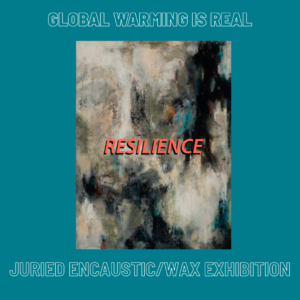
10th Annual Juried Encaustic/Wax Exhibit
Global Warming is REAL:
Resilience
Need more details on this Call for Art? Click HERE to read the full Call for Art.
Entries now closed.
Notification of Juror results: AUGUST 16
Apply for the call for art. To use EntryThingy:
If this is your first time entering a juried exhibition with EAI using EntryThingy, the first step is to create an EntryThingy account. Scroll down the page, then click the link to go to the call for art on EntryThingy. Click the Create Account & Apply button to create your account and begin your entry.
If you have used EntryThingy before: Scroll down, click the link below to be directed to EntryThingy, click the Sign In button at the top of the page to log into your account, and begin your entry.
Editing or changing your entry:
If at any point after you have submitted your entry through EntryThingy, (but prior to the closing date for entries) you realize you need to edit or adjust anything in your entry, contact eainm.info@gmail.com with your request to change the status of your entry. We will set your entry to “unsubmitted” which will allow you to go back into EntryThingy and make your edits. When you’re finished, just submit your entry to complete the process.
Questions on how to use EntryThingy to submit your entry?
Watch this short video: https://vimeo.com/64608067
Or, click here, then scroll to the bottom of the page to read FAQ’s for artists.
CLICK THE LINK BELOW TO BE DIRECTED TO ENTRYTHINGY TO BEGIN YOUR ENTRY.
Click HERE to Enter